Playwright MCP is everywhere right now. Every other blog post and YouTube video is telling you that MCP will revolutionize your test automation. But is Playwright MCP worth it when you actually sit down and try to use it? I decided to find out myself. No beautifying, no cherry-picking the best results, no fancy prompt engineering. Just a raw, out-of-the-box experience.
Let me just say, I was not impressed. Let's dive in.
What is Playwright MCP server?
In a nutshell, Playwright MCP Server is a bridge between your LLM of choice (Claude, ChatGPT, Gemeni) and the Playwright framework. The LLM sends instructions to Playwright, and Playwright interacts with the browser on its behalf.
You describe what you want in plain English, and the AI uses Playwright to do it in a real browser. Click buttons, fill forms, navigate pages. The LLM reads the page structure through accessibility snapshots and decides what actions to take next.
Sounds cool, right? Let's see how it actually performs.
Setting up Playwright MCP in VS Code with Copilot
The setup is quick. Open VS Code, go to Extensions, and scroll down to the MCP server section. Click the MCP servers link, find Playwright MCP in the list, and hit Install.
Then create a .vscode folder in your project root and add a settings.json file with the MCP configuration:
{ "mcp": { "servers": { "playwright": { "command": "npx", "args": ["@playwright/mcp@latest"] } } }}To verify it's working, open Copilot Chat, click the Tools icon, and scroll down. You should see the Playwright MCP server listed with all its tools: click, drag, evaluate, hover, fill, and so on.
That's it. Yes, that simple :)
The real test: automating a test case with MCP
Here's the use case. You have manual test cases written in plain language, maybe in Excel or a test management tool. You feed those test cases to the LLM, and through Playwright MCP, it navigates the app, executes the steps, and generates an automated Playwright test script for you.
I used a simple Conduit application with a basic happy-path scenario:
Log in to the application
Create a new article with a title, description, and body
Verify the article was created
Delete the article
A very basic scenario. I started with a completely blank Playwright project, just a fresh framework with zero tests. Then I gave Copilot this prompt:
Use the Playwright MCP server and automate the provided test case. Navigate to the application in the browser, perform all steps of the test case, and create a new spec file in the test folder with the automated test case.
And pasted the test case steps below it:
Test Case 1: Create a new article
Navigate to: https://conduit.bondaracademy.com/
In the top right corner, click the "Sign In" button. The login page should be opened
Enter email: "[email protected]", enter password "Welcome2" and click Sign in button. User should be redirected to the home page. The user should be logged in, and their username should be displayed in the top-right corner.
Click the "New Article" link menu item. The editor page should be displayed
Type fill out the form with a random article title, article description, and article body. Click the Publish Article button. The article details page should open with the details of the created article. The "Edit Article" and "Delete Article" buttons should be visible to the right of the username. The comments block should be visible below the article
Click on the "Home" link menu item. User should be redirected to the home page, and the "Global Feed" tab should be active. Validate that fist article in the list of articles is the article created in step 5
Click on this newly created article. Verify that the article details page is opened.
Delete the article
What happened next
Copilot kicked off the Playwright MCP server, and the browser opened. The AI started going through the steps. It figured out the login form, entered credentials, navigated to create a new article, filled in the fields with random text, and eventually created the article.
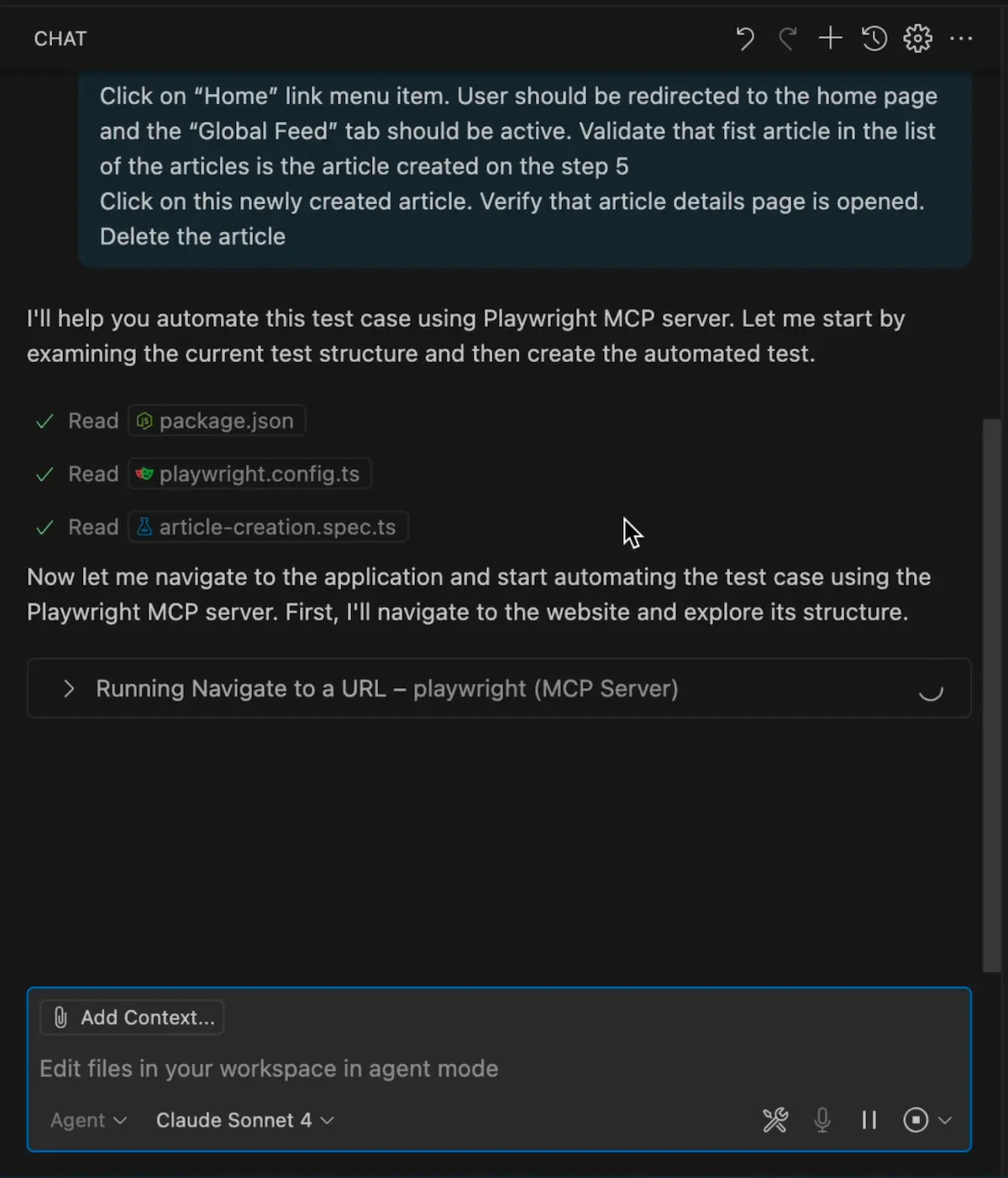
It was not fast. Each step took noticeable time as the LLM processed the page structure and decided what to do. But it got through the whole scenario and generated a test file.
Now, the moment of truth. Will this generated test actually work?
Running the generated test
I hit the Run button. It opened the browser, started logging in, and... nope. Failed. The test broke on an assertion that used a regular expression to verify the article details page. The locator strategy was just wrong.
I fixed that, ran it again. Failed. This time it tried to find a "link" element for the Edit Article button. But it's not a link, it's a button. The AI picked the wrong element type entirely.
Third attempt. Failed again. Playwright found two Delete buttons on the page and couldn't figure out which one to click. The locator was not specific enough.
Fourth attempt. Still broken. The navigation flow after deletion wasn't handled correctly.
Fifth attempt. After commenting out the broken assertions and fixing the locator issues by hand, the test finally passed.
Five attempts to get a simple CRUD test working. And I had to step in and fix several issues by hand. Remember, this is a basic application with a basic UI. Imagine what would happen with a complex enterprise app.
What went wrong?
The AI picked locators based on what it "saw" in the accessibility snapshot, but those choices were often just wrong. A button got identified as a link. A unique element got matched by a generic selector that returned multiple elements on the page.
The validation logic was fragile, too. It used overly specific patterns like regex matching on page content that broke easily. Any experienced Playwright engineer would write simpler, more targeted assertions.
The AI also didn't understand that there were two Delete buttons on the page. It had no idea which one was contextually correct. A human would catch that immediately.
Playwright MCP vs Codegen
If I had taken the same test case, opened Playwright Codegen on one screen and the test case on the other, and just manually clicked through the application while Codegen recorded my actions, I would have had a more reliable test in a fraction of the time.
Why?
Codegen captures exactly what you do. It records real interactions with real elements. No guessing, no hallucinated locators, no wrong element types. You click the right button, Codegen records the right button.
Codegen is also fast. Recording a test case takes minutes. With MCP, the AI spent a long time on each step, processing page structure, making decisions, sometimes making bad decisions and having to recover.
And the output from Codegen is more reliable because it uses Playwright's recommended locator strategies. It captures the actual user interaction. MCP-generated code is based on the AI's interpretation of the page, which is a very different and less reliable approach.
Codegen gives you a starting point, not production-ready code. But that starting point is much better than what MCP produced in my test.
Who should actually use Playwright MCP?
Playwright MCP is not useless. It's just not for everyone.
If you're a manual tester, a product owner, or a business analyst who needs to interact with a browser programmatically but doesn't know how to write automation scripts, MCP is useful. You describe what you want in plain language, and the AI does it. For people who don't code, that's a real win.
MCP can also be handy for exploration. If you need to quickly poke around an unfamiliar application, navigate through flows, and understand how things work, it can save you some time.
But if you already know Playwright? If you know how to use Codegen, know how to write proper locators, know how to structure your tests? MCP adds very little to your workflow. You will be faster and produce better code by just writing the tests yourself.
I'm not saying MCP technology is bad. I'm saying that for experienced automation engineers, it's not the productivity boost that the hype suggests. At least not yet.
Final Thoughts
Is Playwright MCP worth it? If you don't know how to code, yes. If you're an experienced Playwright engineer, probably not. The generated tests needed multiple rounds of fixing, the locators were unreliable, and the whole process was slower than using Codegen or writing tests by hand.
That's my two cents on it. Don't believe the hype blindly. Try it yourself and see if it actually makes you faster.
Playwright is growing in popularity on the market very quickly and will be a mainstream framework. Get the new skills at Bondar Academy with the Playwright UI Testing Mastery program. Start from scratch and become an expert to increase your value on the market!
Frequently Asked Questions
Is Playwright MCP free to use?
Yes, the Playwright MCP server is open-source and free. You do need access to an LLM like Claude or ChatGPT to use it, and those may have subscription costs.
Can Playwright MCP generate production-ready tests?
In my experience, no. The generated tests needed multiple fixes before they could run reliably. Treat MCP output as a rough draft that you'll need to review and refactor.
Is Playwright MCP better than Codegen for test generation?
For experienced automation engineers, Codegen produces more reliable results faster. MCP can understand natural language test cases, but the output quality is lower and the process is slower.
Does Playwright MCP work with all browsers?
Playwright MCP uses Playwright's browser support under the hood, so it works with Chromium, Firefox, and WebKit. The MCP server launches a browser instance that the LLM controls through Playwright commands.
Who benefits most from Playwright MCP?
People who don't write code. Manual testers, product managers, or business analysts who need browser automation without coding skills. For experienced Playwright engineers, the value is limited compared to existing tools like Codegen.
Will Playwright MCP replace test automation engineers?
No. The current state of AI-generated tests shows they need human oversight, debugging, and refactoring. MCP can help with test creation, but it can't replace the judgment of an experienced automation engineer.
